AI vs Automation: How Managed IT Support Helps You Choose
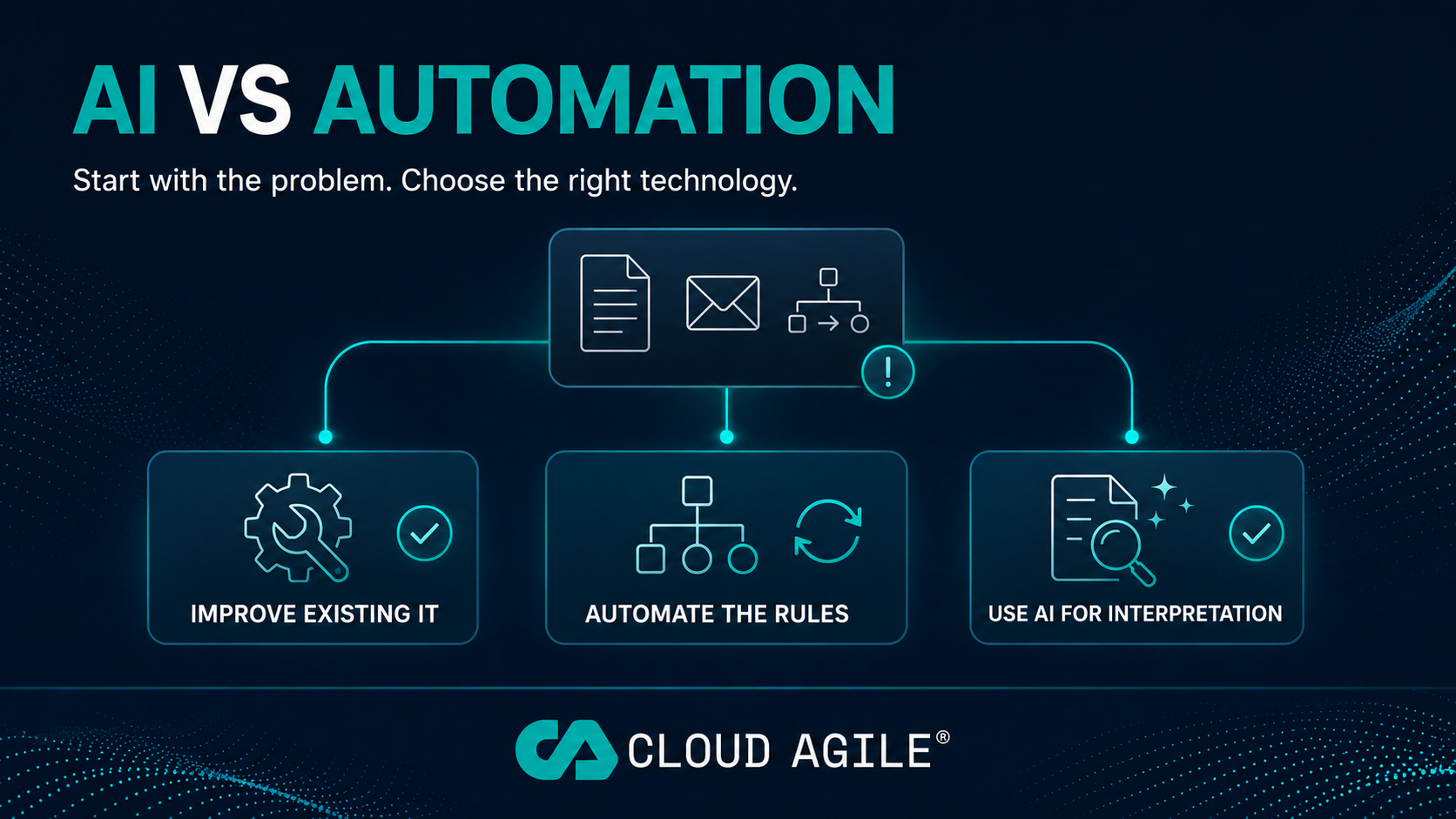
Artificial intelligence and automation are often discussed as though they are the same thing. They are not.
Traditional automation is normally best for predictable processes that follow clear rules. AI is more useful when work involves language, documents, knowledge, variation or interpretation.
However, there is another possibility businesses should consider.
The process may not need AI or new automation at all. It may simply require better IT support, improved configuration or more effective use of existing systems.
For businesses comparing AI vs automation, the right decision starts with the problem rather than the technology:
- Improve the existing IT when the problem is caused by configuration, permissions, training or unreliable systems.
- Use traditional automation when the process follows consistent and repeatable rules.
- Consider AI when the work requires interpretation, language processing or handling less structured information.
In our previous article, we looked at where a business should start with AI. The next step is deciding whether AI is actually the most appropriate answer.
What is business process automation?
Business process automation uses technology to complete repeatable tasks according to predefined rules.
The system does not need to interpret the situation or make a judgement. It follows a process that has already been designed.
Examples include:
- Sending an approval request when a form is submitted
- Creating onboarding tasks for a new employee
- Sending renewal or expiry reminders
- Moving information from a form into another system
- Creating a ticket when a monitored event occurs
- Updating a record when a task is completed
- Notifying a manager when an approval is overdue
Microsoft Power Automate is one example of a platform that can connect Microsoft 365 and other business applications to create these workflows.
Traditional automation works particularly well when the inputs, rules and expected outcomes are clear. It can make a process faster and more consistent without introducing unnecessary complexity.
What is AI automation?
AI automation introduces technology that can interpret information and produce an output where the inputs may vary.
This can be useful when a task involves written language, documents, conversations, patterns or large volumes of less structured information.
Examples include:
- Summarising documents or meetings
- Extracting important information from emails
- Categorising incoming enquiries
- Drafting routine communications
- Searching an internal knowledge base
- Identifying themes across customer feedback
- Producing an initial summary for human review
Unlike a fixed workflow, AI does not always produce exactly the same answer from the same type of request. Its outputs should therefore be checked, particularly where accuracy, personal information or important business decisions are involved.
The goal should be to support employees and improve the process, not remove appropriate human oversight.
Does the process need AI, automation or better IT support?
Before purchasing a new AI product, check whether the real problem sits within the current IT environment.
A process may need better IT support when:
- Employees regularly experience the same technical problem
- Microsoft 365 permissions are preventing people from working effectively
- SharePoint content is poorly organised or difficult to find
- Existing software features are not being used
- Users have not received appropriate training
- The business is paying for overlapping applications
- Two existing systems can already be connected
- An unreliable device, network or application is causing the delay
A process is more likely to suit traditional automation when:
- The same steps are completed each time
- The rules can be clearly documented
- The required information is structured
- Exceptions are uncommon
- The outcome can be tested easily
AI may be appropriate when:
- The process involves language or documents
- Information arrives in different formats
- Employees must interpret or categorise content
- Large amounts of internal knowledge need to be searched
- Producing an initial draft or summary would save meaningful time
- A human can review the result before it is used
The simplest appropriate solution is usually the best place to start.
How do AI and automation work together?
AI and traditional automation do not have to be competing choices. They can be used together within the same process.
Consider a shared customer-service inbox:
- An email arrives from a customer.
- AI reviews the message and identifies its subject, urgency and relevant information.
- Automation creates a ticket and routes it to the appropriate team.
- AI prepares a summary or suggested response.
- An employee reviews the information and handles any exceptions.
- Automation records the outcome and sends the necessary updates.
In this example, AI handles interpretation while automation controls the consistent movement of information.
The process still needs clear ownership, security controls and human oversight. Combining the technologies does not remove the need for good process design.
How can managed IT support identify automation opportunities?
A proactive managed IT support provider sees where employees repeatedly lose time.
Support tickets, recurring faults, onboarding requests and questions about existing systems can reveal where a process is creating unnecessary work.
Examples might include:
- The same question being raised by multiple employees
- A process with no clear owner
- An unofficial spreadsheet becoming a critical business system
- New starter information being passed between departments by email
- Employees struggling to find current documents in SharePoint
- Staff repeatedly copying information between applications
- Manual tasks being used to compensate for poor system configuration
These patterns should not simply be treated as isolated support tickets.
They can point towards a wider improvement opportunity, such as better configuration, employee training, a workflow, system integration or a carefully selected AI use case.
This is where managed IT support can contribute more than reactive troubleshooting. It provides an ongoing view of how technology is affecting the business in practice.
Why support and consultancy should work together
An AI or automation project does not operate separately from the rest of the IT environment.
Its success may depend on:
- Reliable devices and connectivity
- Correct Microsoft 365 licensing
- Secure identity and access controls
- Well-managed SharePoint permissions
- Accurate and appropriately stored data
- Maintained integrations
- Employee training
- Ongoing technical support
- Clear responsibility when something changes
A consultant can identify an opportunity and design the initial solution. Managed IT support helps ensure the surrounding technology remains reliable, secure and properly maintained afterwards.
Bringing the two together also reduces the risk of creating an automation that nobody owns or an AI tool that employees cannot use safely.
The objective is not simply to launch a project. It is to create an improvement that continues working after the initial implementation.
Not every inefficient process needs new technology
Automating a poorly designed process can make the same problem happen faster.
Before introducing new technology, document how the process currently works and ask:
- How often does the task happen?
- How long does it currently take?
- How many employees are involved?
- Where do delays or mistakes occur?
- How much rework is required?
- What does the process cost the business?
- What would a successful improvement look like?
- Can the result be measured after implementation?
This creates a baseline against which any improvement can be judged.
Sometimes the answer will be AI. Sometimes it will be traditional automation. In other cases, clearer responsibility, better training or improved use of an existing system will deliver the stronger result.
Recommending the simplest effective change is part of good technology consultancy.
Managed IT support, AI and automation across our regions
Cloud Agile helps SMEs across Suffolk, Ipswich, Essex, Hertfordshire, London, the East Midlands and Milton Keynes improve how they use technology.
Our managed IT support gives us visibility into the recurring issues and inefficient processes affecting employees. Our AI consultancy and automation services can then help determine whether the right response is improved configuration, better use of Microsoft 365, system integration, workflow automation or AI.
This joined-up approach allows technology improvements to become part of a wider business roadmap rather than a collection of disconnected projects.
Frequently asked questions
What is the difference between AI and automation?
Traditional automation follows predefined rules and completes consistent, repeatable tasks. AI can interpret language, documents and less structured information where the inputs may vary.
Is Microsoft Power Automate an AI tool?
Power Automate is primarily a workflow automation platform. It can also connect with AI services where a process requires document processing, classification or another form of interpretation.
Does managed IT support include business process automation?
This depends on the provider and service agreement. Proactive managed IT support should identify recurring issues and opportunities for improvement, but consultancy, development or automation work may be delivered as a separate project.
Does every business need AI?
No. A business should use AI where it solves a defined problem and produces a measurable benefit. Many improvements can be achieved through better configuration, training, integration or traditional automation.
Where should an SME begin?
Start with one frequent process that consumes unnecessary employee time. Record how it works today, identify the cause of the inefficiency and select the simplest solution that can produce a measurable improvement.
Can AI and automation work alongside an existing IT provider?
Yes. AI consultancy can work alongside an internal IT team or an existing managed service provider. Responsibilities for security, permissions, implementation, support and ongoing maintenance should be agreed before the project begins.
Start with the problem, then choose the technology
The objective is not to use AI wherever possible.
It is to remove unnecessary work, improve consistency and give employees more time for valuable activity.
The right answer may be a straightforward configuration change. It may be a traditional workflow. It may be an AI tool working alongside automation and human review.
Cloud Agile combines managed IT support with AI consultancy and automation. This allows us to identify where technology is creating friction, select an appropriate solution and support it as the business continues to develop.
Explore our managed IT support and AI consultancy services, or book a strategy call to discuss a process that is taking too much of your team's time.
Is a repetitive process costing your team time?
Book a 20-minute strategy call and we will help you identify whether the answer is better IT, traditional automation or a practical AI solution.
Book a Strategy CallRelated reading
Where Should Your Business Start with AI?
A business should start with AI by identifying one frequent, measurable process that consumes unnecessary employee time. The right consultant should assess…
Who Owns Cyber Security When You Outsource IT Support?
Outsourcing IT support can transfer much of the day-to-day cyber security work to a specialist provider, but not the business accountability. Here is how to…
What Does Proactive IT Support Actually Mean?
Proactive IT support should prevent problems, not just fix them. Here is what a managed IT provider should monitor, maintain and improve every month, and how…
How to Choose an IT Support Provider in Suffolk, Essex and Milton Keynes
A practical buying guide for UK SMEs comparing IT support providers: what to compare, how managed, co-managed and break-fix models differ, a sample scorecard…